# 4. Frame

<figure><img src="https://2909106259-files.gitbook.io/~/files/v0/b/gitbook-x-prod.appspot.com/o/spaces%2Fl07NBXgl5MbkBetObqPW%2Fuploads%2FB0NrYjTmWpqiOzY0lWxR%2Fimage.png?alt=media&#x26;token=490da78f-1fb4-4450-9333-94017f2f05fb" alt="" width="353"><figcaption></figcaption></figure>

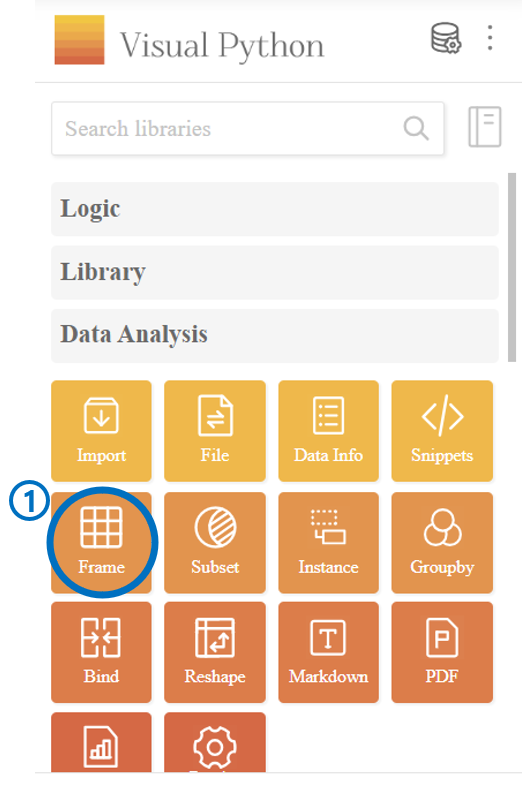
1. Click ***Frame*** *in **Data Analysis***.

<figure><img src="https://2909106259-files.gitbook.io/~/files/v0/b/gitbook-x-prod.appspot.com/o/spaces%2Fl07NBXgl5MbkBetObqPW%2Fuploads%2FJ6TeJJVu90Tvjg7vqsYv%2Fimage.png?alt=media&#x26;token=cb5c6b2f-d477-487f-84ee-fe394281de87" alt="" width="563"><figcaption></figcaption></figure>

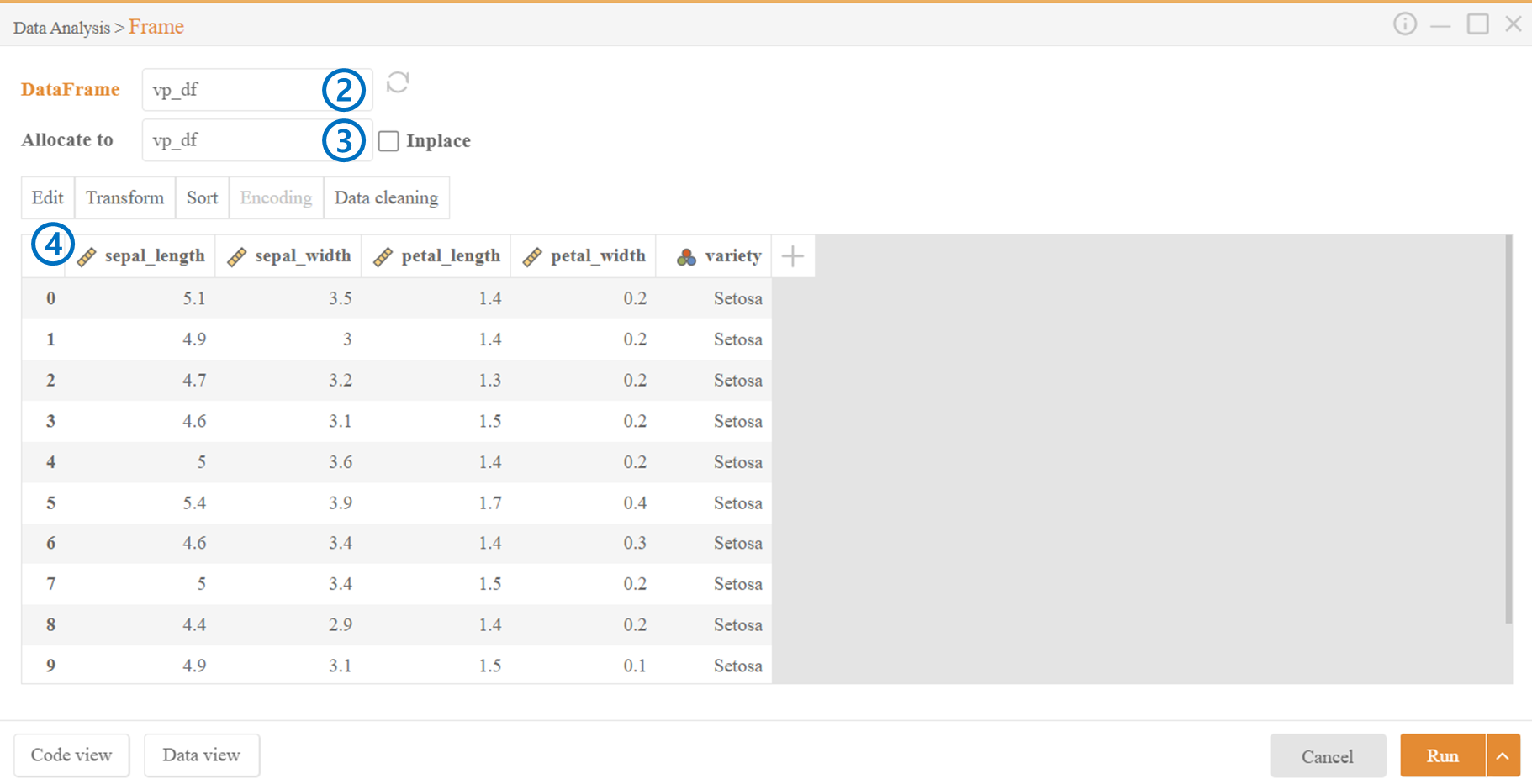
2. ***DataFrame***: Select the dataframe you want to work with.
3. ***Allocate to***: Enter a variable name to assign to the dataframe after the operation. If ***Inplace*** is checked, the existing variable name will be used.
4. Click on the column directly to select one or multiple specific columns to work on.

***

### Detailed Information

1. [Edit](https://visual-python.gitbook.io/docs/data-analysis/4.-frame/4-1.-frame-edit)
2. [Transform](https://visual-python.gitbook.io/docs/data-analysis/4.-frame/4-2.-frame-transform)
3. [Sort](https://visual-python.gitbook.io/docs/data-analysis/4.-frame/4-3.-frame-sort)
4. [Encoding](https://visual-python.gitbook.io/docs/data-analysis/4.-frame/4-4.-frame-encoding)
5. [Data Cleaning](https://visual-python.gitbook.io/docs/data-analysis/4.-frame/4-5.-frame-data-cleaning)